 In my review of the latest versions of Opera and Firefox I noted that I really appreciated not having to “roll my own browser” from scratch with Opera. Extensions can be great for Firefox but I think some of them should really come built-in. Maybe not enabled by default, but you shouldn’t have to hunt around to find this functionality.
 autoHideStatusbar: Quite simply AHS hides the status bar unless you hover over a link or move your cursor to the bottom of the browser window. It is great for maximizing vertical space within the browser window. I don’t know about you, but most of the time I don’t need the status bar but sometimes I do.
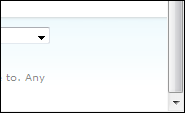
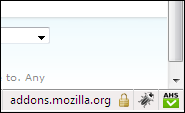
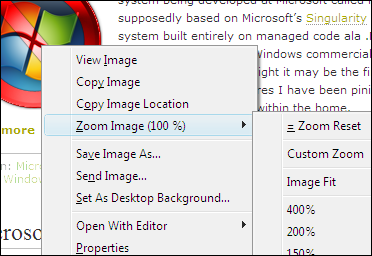
 Image Zoom: This is another simple extension that can be really useful. It adds a context menu item for zooming in and out on an individual image on a page. It makes it a lot easier to see details in smaller images when you can easily enlarge it by 200%. I would like to see a bit more friendly UI for this one however. The context menu approach works, but some sort of hover over pop-up may be more intuitive.
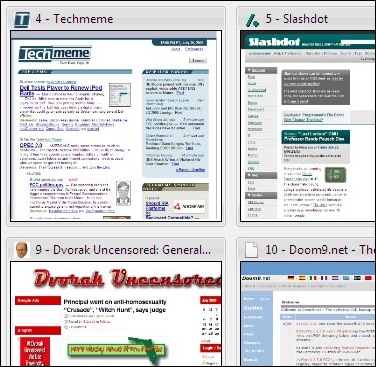
 Speed Dial: I’m sure all of the Opera users out there recognize this one; it is a blatant copy of the speed dial built into Opera. Imitation is the sincerest form of flattery right? When you open a new window or tab this extension will populate it with a three-by-three (although you can adjust the row and column count) set of tiles of sites you selected. I have mine set for five columns with three rows so that the most common fifteen sites I visit are easily accessible. I know I could (and do) have them in my bookmarks, but this is really just quicker and easier. The tiles also refresh regularly so for certain sites I can tell if there has been an update just from the tile.
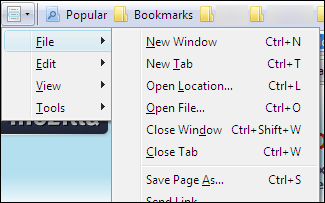
 Personal Menu: This is a must have extension for me, but I may just be crazy about maximizing my screen space. This extension will remove the regular menu bar and make it a drop down menu from an icon. That way I can eliminate an additional toolbar and save myself some vertical space. Something like this, or perhaps even the method IE uses of pressing the Alt key to bring up the menu would be a welcome addition.
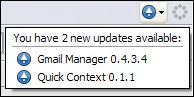
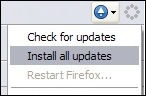
 Update Notifier: This extension is one that I can’t believe wasn’t added to Firefox years ago. When an update for Firefox (it works in Thunderbird too), an extension, or a theme is available the icon will turn blue and pop-up a small notification window listing the available updates. You can then install all of the updates right from the drop down menu.